Tag: Scrivener
-

Friday’s Findings: Using Scrivener’s Snapshot Function to Revise
There are a million ways to revise. And there are a million ways to use Scrivener. For my fiction writing, Scrivener offers flexibility and customization. I have found it malleable to fit whatever writing project I am working on at the time. If you haven’t used it, you would too, I bet. No, I’m not…
-
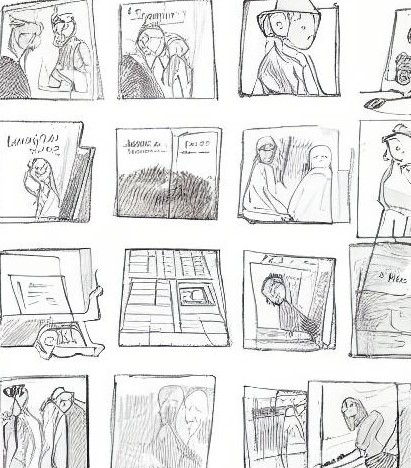
Friday’s Findings: Storyboarding Is for Those Who Think Visually
Storyboarding is a way to outline your novel. I love this idea! The storyboard concept is borrowed from the animation industry. It’s a way to plan out your novel or short story using panels of illustrations. Here are some tips: It doesn’t have to be complicated. You can draw stick figures if it helps. If…
-

Friday’s Findings
Prologues vs. Flashbacks Backstory is something I’ve been thinking about lately and this article answered a lot of questions. How to Read Like a Writer (to become a better writer) Five simple steps to reading a book and noticing techniques writers use to make readers want to finish the book. 5 Ways to Write Better…
-

NaNoWriMo Day 30: Some resources to check out
No two writers approach their WIPs in the same way. Over the years, I’ve used a combination of the following methods to develop my stories. You may be familiar with some of them. Some of them may be new. I cherry pick parts from them and have created an amalgam of a fiction creating process…
-

NaNoWriMo Day 17: The Big Conversion
My writing process for NaNoWriMo 2022: Step 1: Write one complete sentence summarizing each scene. Step 2: Turn each sentence into a five sentence paragraph. Step 3: Turn each paragraph into five paragraphs. Step 4: Turn the five paragraphs into a narrative. Now that I’ve reached step four, I’m converting everything to Scrivener. Up to…
-

Friday’s Findings: July 2022 Camp NaNoWriMo Update #3
Since last November’s NaNoWriMo, I’ve been using what I call the scratchpad method for my writing process. Ever since, I’ve been honing and improving it for my way of writing. Each month, I start a new document and almost every day, I write whatever for that day. That could be a scene for two for…
-

Friday’s Findings: Fictionary
I bit the bullet and purchased a subscription to Fictionary. Being a word-processing program and outliner for authors, it falls into the same category as Scrivener, but they have some differences. Here’s how I feel about Fictionary: Character tracking: Fictionary has a great feature for keeping track of characters in each scene. Character tracking is…
-

Friday’s Findings
I’ve been so busy, I haven’t done a Friday’s Findings in a while. Lately, I’ve come across some resources for writers I really like. If you are looking for a more streamlined Scrivener, you might want to take a look at NovelPad. It’s free, but it has an upgrade. Milanote and Inkarnate also have upgrades,…
-

Friday’s Findings
While being at home this week, I took a Udemy.com course called How to Plan and Outline Novels (Using Scrivener). I loved the simplicity of how the instructor, novelist Sean Platt, broke down the novel writing process. And I got a lot of great ideas for using Scrivener. The course is only about two hours…
 Andrew M. Friday