
How to use tabs in Google.Docs for writers
I use Google. Docs for my novel WIPs (Work in Progress) and recently I noticed a new feature on the side of the screen. Tabs.
“What are tabs?”
Well, I looked it up and found that these tabs can be a great help for organizing a novel. For example, I’ve used the tabs function to create a snowflake document for two of my novel projects.
Tabs came out in October 2024, but I just ignored this function until now, but I wish I had jumped on it sooner.
The biggest and best advantage of this feature is this: all documents for one project are located in one file. This makes scrolling around potentially hundreds of pages easier. It reminds me of Microsoft’s OneNote, which I’m a fan of. So yes, tabs on a Google.Doc sheet is like creating a digital notebook.
Let’s go over the basics of adding tabs to a Google.Docs sheet:

- If it’s not already, open the tabs panel by clicking on the “show tabs and outlines” icon.

2. The first tab is automatically generated.
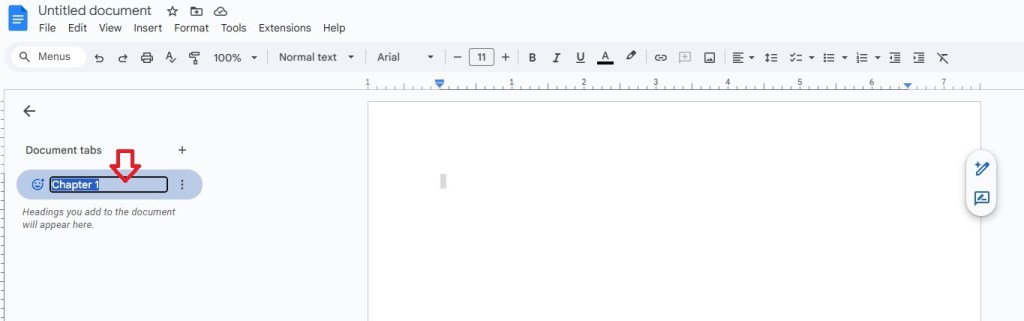
3. Click on “Tab 1” and give it a name.

4. To create another tab, click on the plus sign. Name the new tab.

5. To create a subtab, click on “tab options” symbol of the parent tab. Click “add subtab.”

6. Name the subtabs.
Here’s a YouTube video that further explains how to use tabs in Google.Docs:
FRIDAY’S FINDINGS:
Here are some more videos explaining how to use tabs:

 Andrew M. Friday
Leave a comment